Step 2 of 2
Connect your battery and inverter details.
These details let us review the battery, check integration readiness, and decide whether the site is suitable for a safe optimisation strategy.
Your API key is stored encrypted on our side. We use it only to connect, monitor, and automate your battery scheduling after you authorise us by entering it here.
Integration review
Please have your inverter serial number, API key, electricity retailer name, and your latest bill ready. We use these details to map your site, understand tariff exposure, and build a battery strategy that balances savings with protection.
We look at reserve, battery size, and site behaviour so the battery supports the home instead of creating extra exposure.
Your energy bill helps us understand whether your current plan or a dynamic-pricing retailer setup is likely to benefit from optimisation.
We are designing for reserve buffers, spike protection, and cautious automation rather than uncontrolled arbitrage.
FoxESS guide
How to find your API key in FoxESS Cloud
Based on the FoxESS Cloud interface and public setup guidance, the usual path is: sign in to FoxESS Cloud, go back to version 1 if needed, open API Management, then generate and copy the API key.
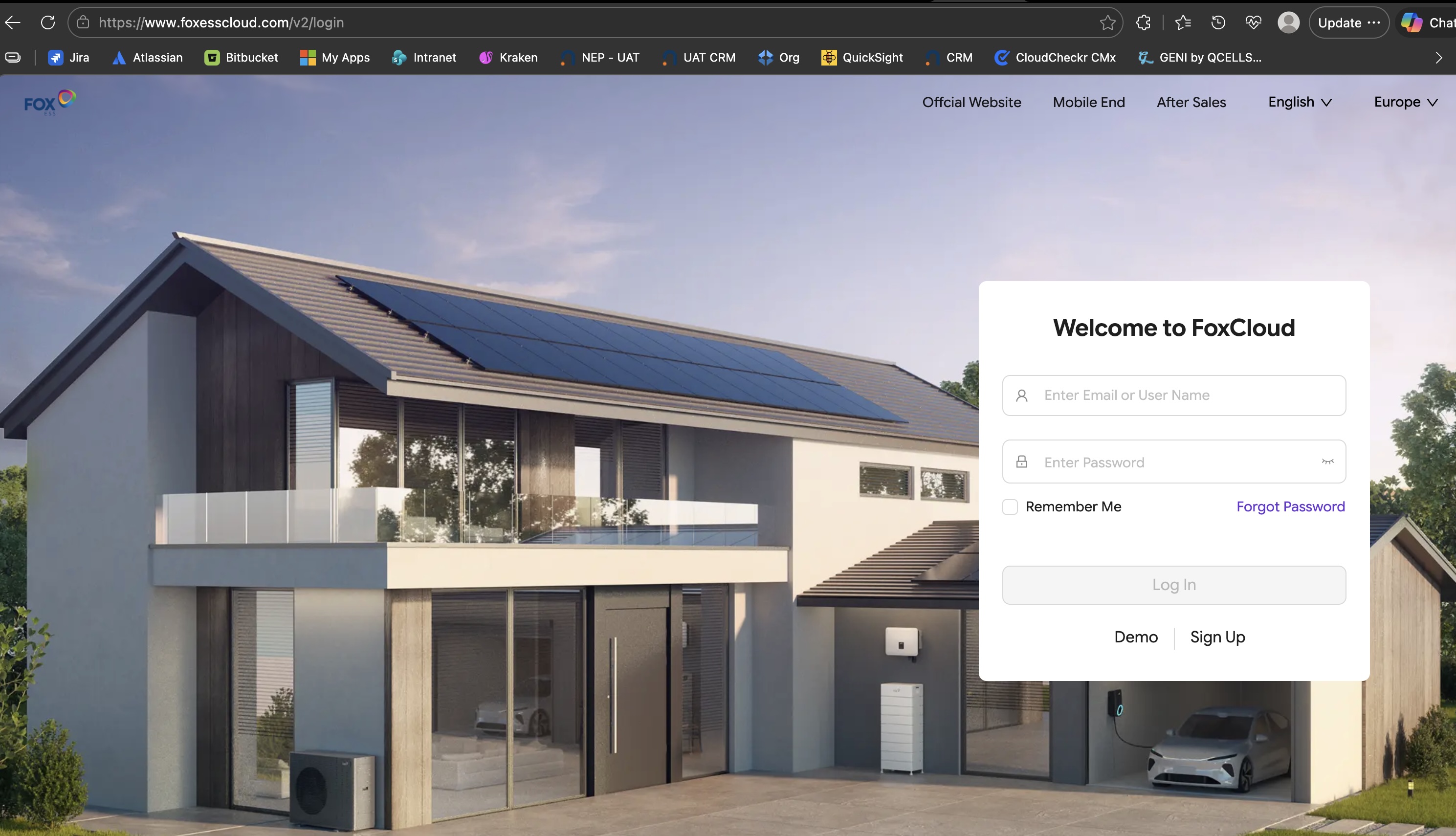
Open the FoxESS Cloud portal and sign in with the customer account linked to the inverter.
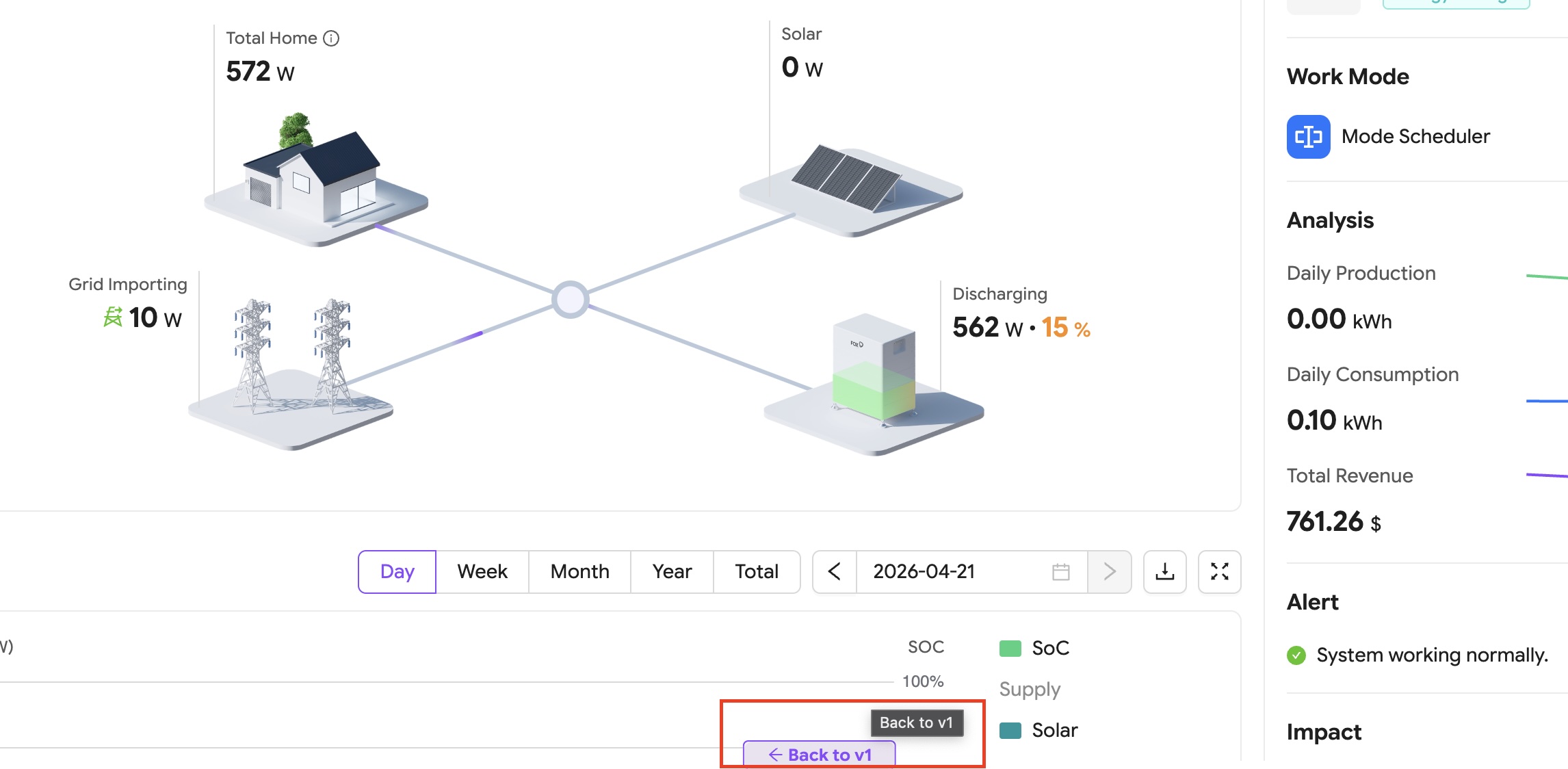
If you land on version 2, use the “Back to v1” control shown here to return to the v1 interface where API Management is available.
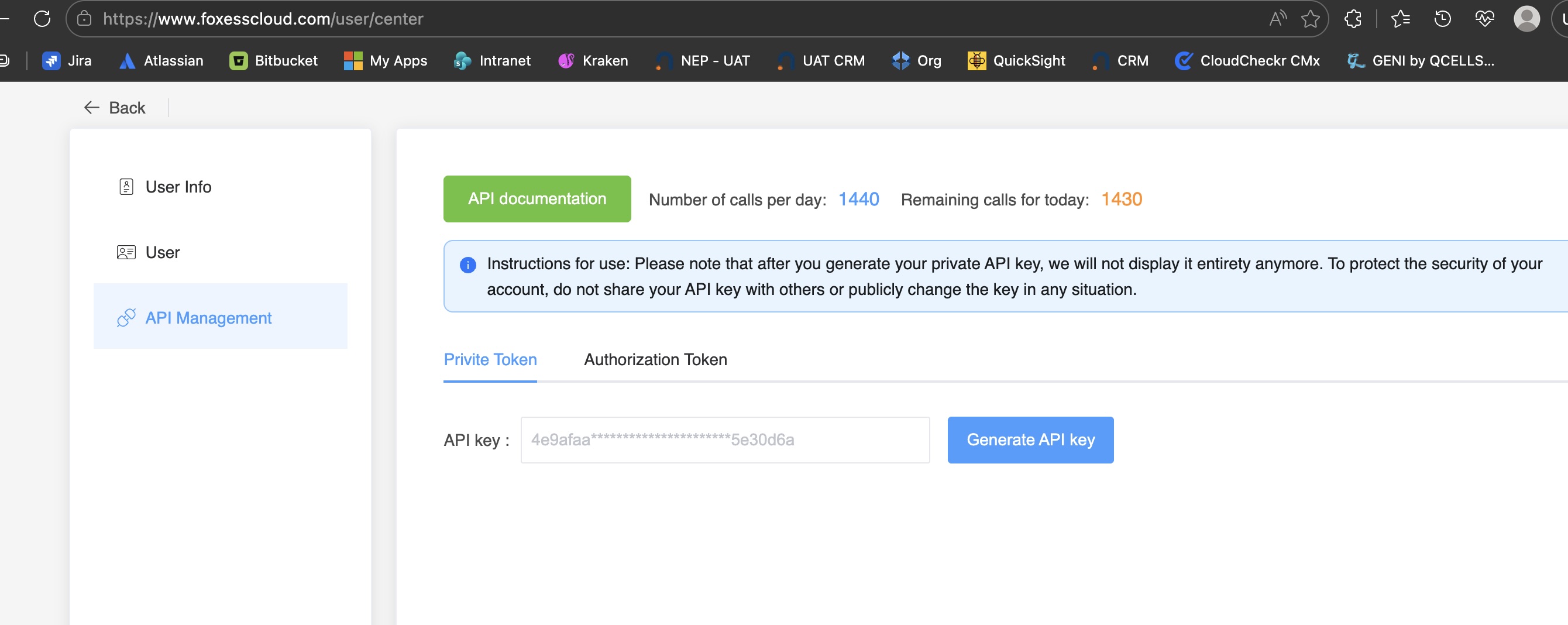
In v1, open User Centre, choose API Management, then click Generate API key and copy the token shown there.
Tesla guide
How Tesla access works
Tesla energy systems use Tesla account sign-in and Fleet API style authorization rather than the same private API-key flow used by FoxESS. Sign in to the Tesla app or Tesla account first, then follow our setup guidance for third-party access when requested.
Use the Tesla app or Tesla account tied to your Powerwall or energy site.
Check that your Tesla account already has access to the energy system and any shared members are added correctly.
Tesla’s Fleet API uses authorization flows and scopes instead of a simple private token field.
Sungrow guide
How to prepare Sungrow iSolarCloud access
Sungrow’s iSolarCloud platform is the starting point for monitoring and integration. Sign in to iSolarCloud with the account linked to the system, then use the account or API/OpenAPI access available for your installation.
Use the homeowner or business-owner account linked to your Sungrow plant.
Make sure the plant and devices are visible in iSolarCloud before attempting integration.
Depending on your setup, this may be an API key, access key, or an installer-enabled Open API credential.
Field help